20 pads
Trigger clips from the keyboard or a MIDI pad controller. Each pad holds its own clip, in and out points, speed, and effects.
Live video sampler · desktop app
Twenty pads of footage, a jam sequencer that records your set, a clean picture for your projector, and MIDI control for hands-on performance.
Demo video coming soon.
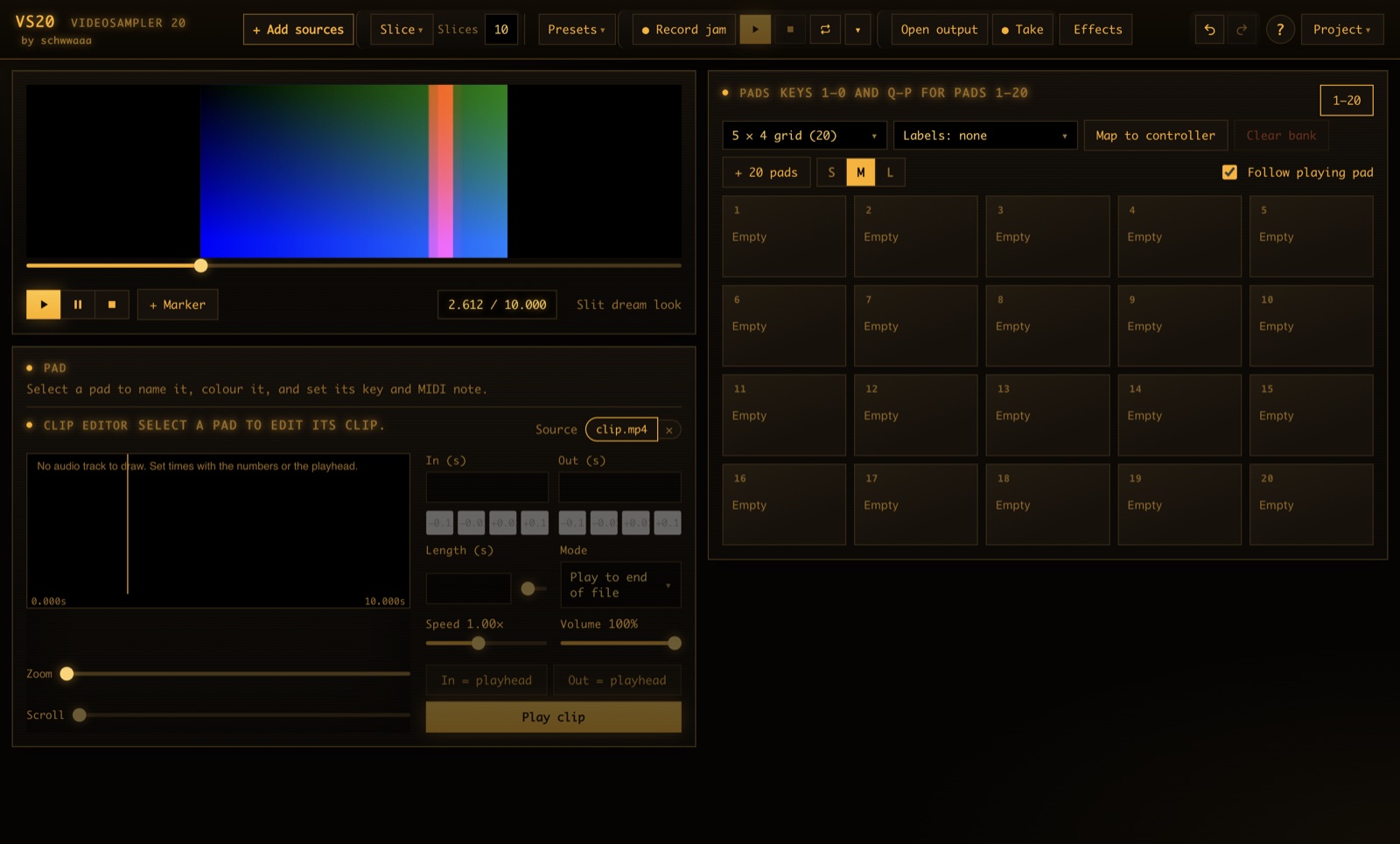
Trigger clips from the keyboard or a MIDI pad controller. Each pad holds its own clip, in and out points, speed, and effects.
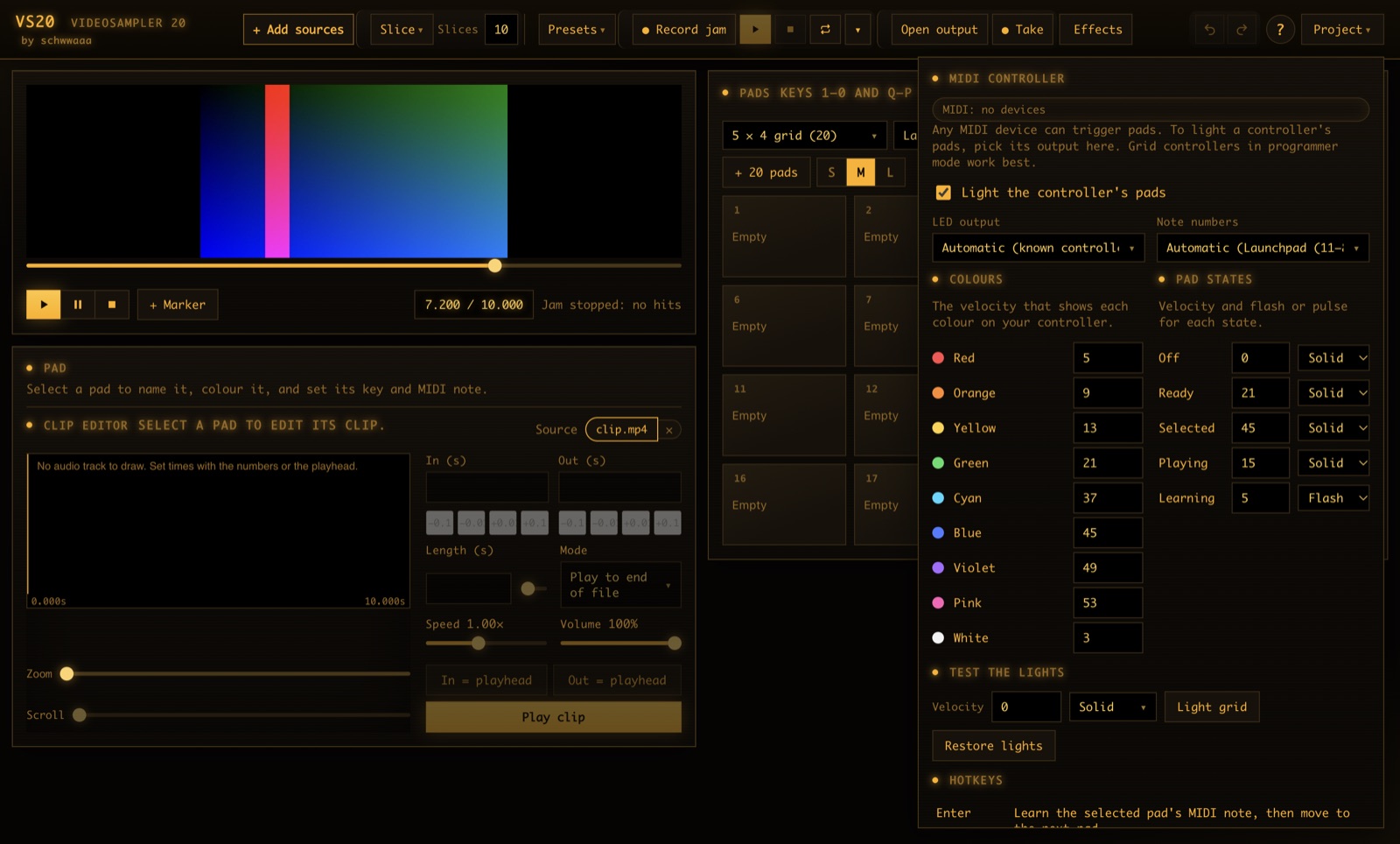
Select a pad, hit Learn, then press the note on your controller. Enter moves to the next pad, so a whole bank maps in one pass.
Open output for a window with only the picture, for a projector, a second screen, or OBS. Takes record what the monitor shows.
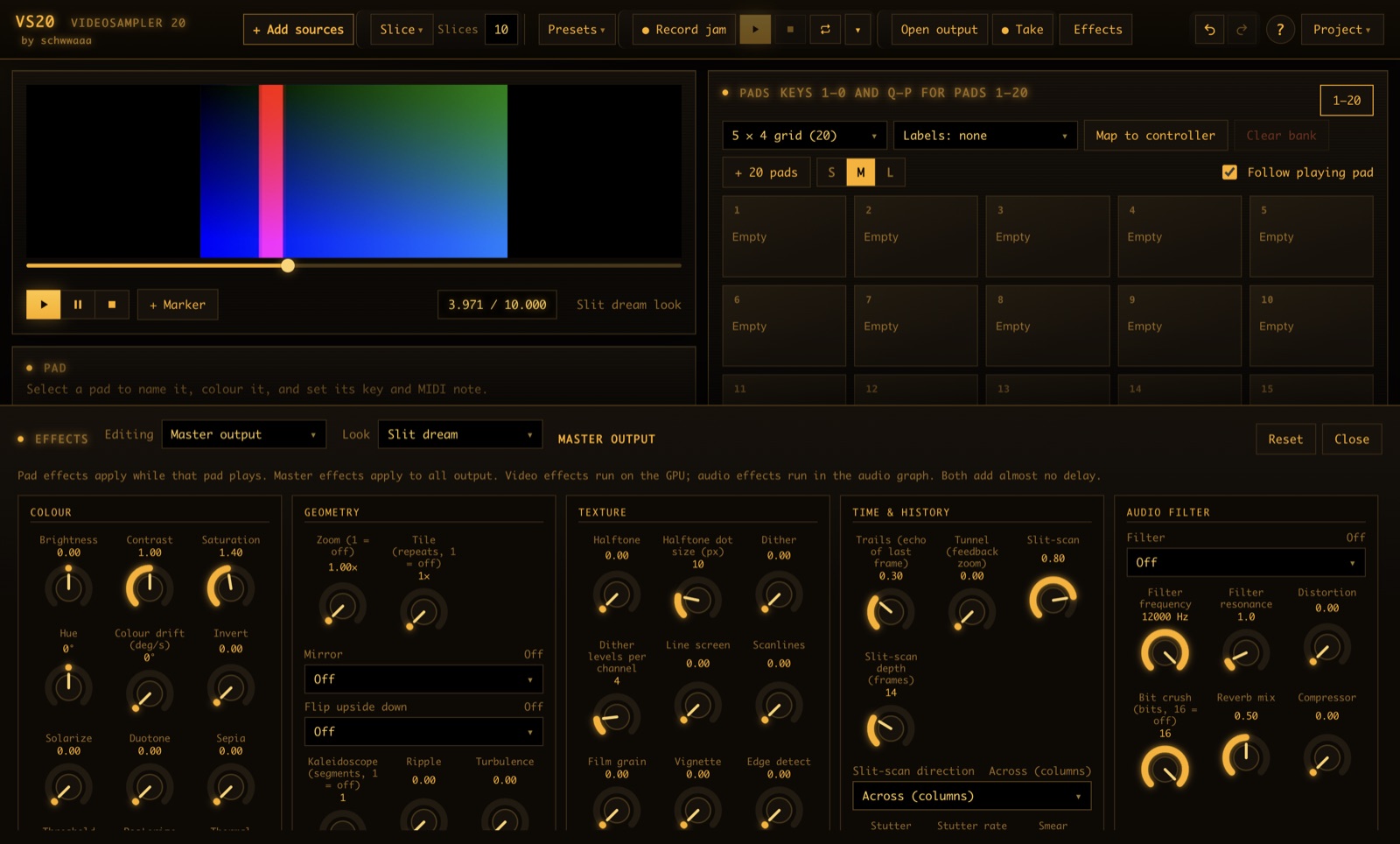
Pick a look to set a combination of effects at once, then shape it live. Video effects run on the GPU, so the set stays responsive.
Cut a clip at pauses, at random, or at the words you search for. Transcription runs on your own machine.
Local files, local transcription, no account and no cloud. Your footage stays on your machine.
Hit Record jam and play. Every pad hit is recorded with its timing, so you can loop the jam, save it as a file, and load it back for the next show.
The top bar keeps the jam controls within reach: record, play, stop, loop, and a timer.
Open output gives you a window with nothing but the picture. Drop it onto a projector or an external display, or capture it in OBS.
The monitor stays on the laptop for you, and the output stays clean for the room.
Any MIDI device can trigger pads. Grid controllers light up to show pad states: ready, selected, playing, and learning.
Set the note layout and LED colours once, and keep them between sessions.
A look sets many effects at once, and resets everything else. Pick one, then shape it while you play.
We are testing VS20 with a small group of performers and visual artists. Tell us who you are and we will send you the build for your platform.